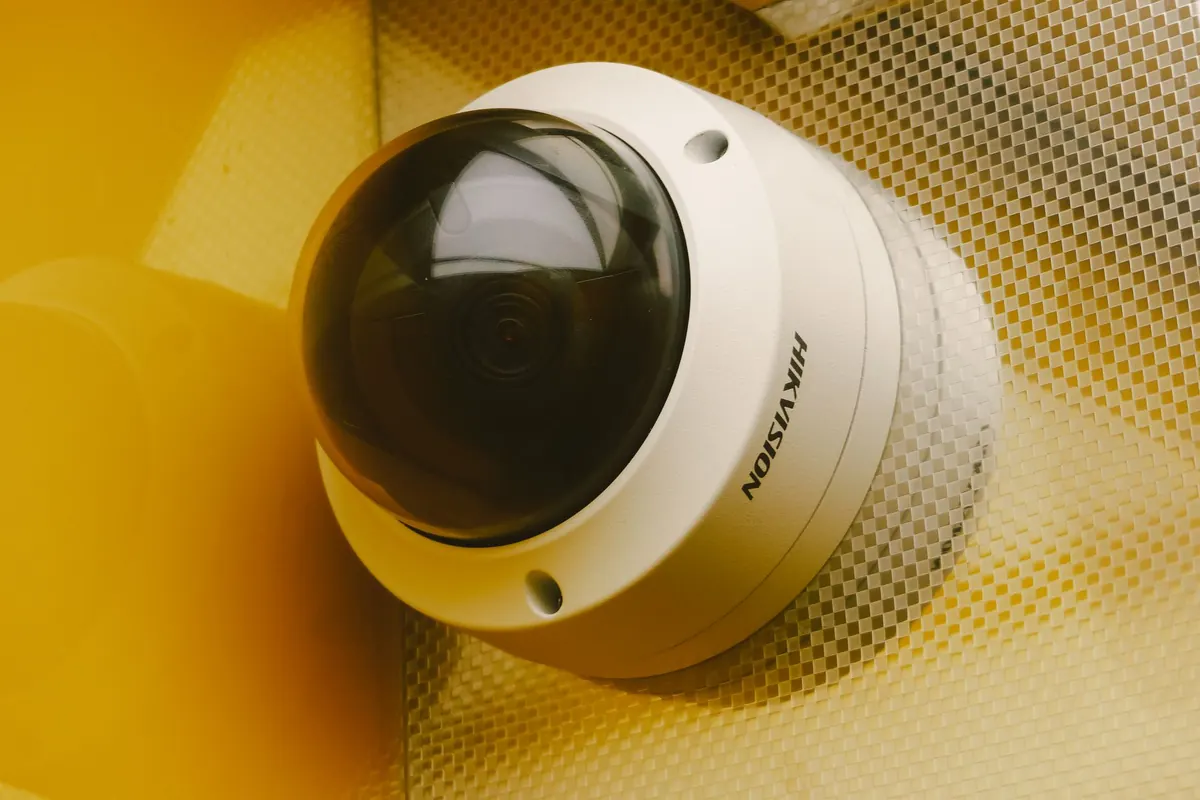
Most people install cameras, check the picture on their phone, and never think about the recorder again until the day they actually need footage from three weeks ago. That is when the awkward discovery happens: the clip is gone, overwritten by the relentless loop of the hard drive. Retention is not a technical detail you set once and forget. It is the decision that determines whether your system is a security tool or an expensive ornament.
Keep footage for two days and you will miss almost everything. A break-in discovered on Monday morning, a missing package reported on Thursday, a supplier dispute that surfaces a month later — none of it will exist. Keep footage forever and you create a different problem: drives that fill up, a system that slows to a crawl when you search it, and a growing archive of ordinary people going about their day that you now have to protect, justify and eventually answer questions about.
The right window sits between those extremes. It is long enough to cover the gap between an incident happening and someone noticing it, with room for a review. Everything else is arithmetic.
Storage math is more forgiving than it looks once you know the bitrate. Take a single camera recording continuously at 4 Mbps. In one hour it writes 4 megabits per second × 3,600 seconds, which is 14,400 megabits, or about 1.8 GB. Over a day, that is roughly 43 GB. Over a month, about 1.3 TB.
Now multiply. Four cameras at that setting produce around 172 GB a day, which is roughly 5 TB a month. That is why so many home systems quietly default to a short retention window — the drive simply cannot hold more.
Two adjustments change the picture dramatically. First, motion-triggered recording instead of continuous. If a camera sees meaningful movement for a fifth of the day, you cut storage by about 80 percent. Second, modern compression. A recorder using H.265 stores noticeably more per gigabyte than an older H.264 unit at comparable quality. Frame rate matters too: dropping a static indoor scene from 30 fps to 15 fps halves the data with little practical loss, while a busy entrance or loading bay should keep the higher rate.
There is no universally correct retention period, and anyone quoting a single magic number is guessing. What most privacy rules do share is a principle rather than a figure: keep personal data — and footage of identifiable people is personal data — only as long as you need it for the purpose you collected it. In practice that means deciding your purpose, documenting it, posting clear signage that recording is taking place, restricting who can view the footage, and deleting on schedule.
Some sectors carry stricter expectations. Regulated environments such as banks, healthcare sites and licensed premises may face specific requirements in your jurisdiction, and businesses handling subject access requests need a process for exporting footage. If you run cameras over staff or the public, it is worth a short conversation with a local lawyer rather than relying on forum advice.
Insurance deserves its own note. Check whether your policy requires you to preserve footage after an incident. Once you are on notice of a theft, an injury or a claim, stop the automatic overwrite on the relevant cameras and export the clip to separate storage. A deleted recording is very hard to explain later.
These are starting points, not rules, but they reflect how quickly incidents usually surface.
Work through this once, write down the result, and you will never have to guess again.
Before you spend money on storage, squeeze the settings. Record on motion in low-traffic areas and continuously only where it matters. Lower the frame rate on static views. Use a lower-resolution substream for long-term retention and keep the high-resolution stream for alerts. Turn off cameras aimed at blank walls. And keep a separate archive folder for clips that matter — an exported incident file survives any retention setting.
One more housekeeping point: confirm your recorder's clock is accurate and syncing automatically. A perfect clip with the wrong timestamp is nearly useless as evidence.
Write a single page: who can access footage, how long you keep it, how to export a clip, what happens when someone requests it, and when the policy gets reviewed. Then test it. Once a month, open the oldest day still in the system and play a few minutes. If that day is about to be overwritten and the video stutters or the file is corrupt, you have found the problem before it costs you.
Retention is a decision, not a default. Pick the window deliberately, match it to your storage and your obligations, and check it now and then. The footage you need will almost always be from the day you nearly deleted.
Photo: Atypeek Dgn / Pexels
A practical introduction to vault entry systems: how credentials, dual control, and turnstiles work together, and...

A seasonal safe maintenance guide for winter: control humidity with desiccants, inspect door gaskets, replace lock...

A practical pre-breach checklist covering the behavioral, physical, and procedural warning signs that tend to show...

Monitoring the world's most secure vaults..
